Get the customer's signature and complete the job
The customer signs on your phone to confirm the work is done, and Complete job hands the job back to the office once everything it needs is there.
Steps
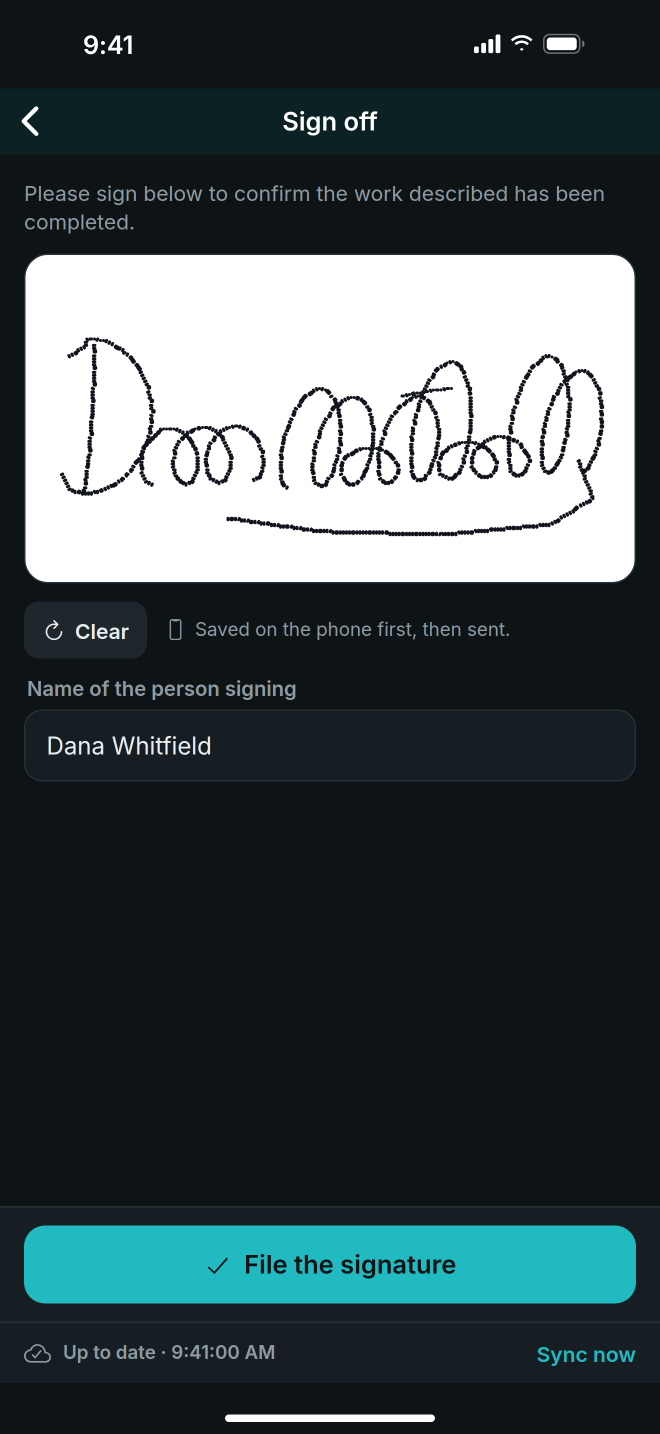
- On the job, under The work, tap Customer signature.
- Hand the phone to the customer to sign in the box. Tap Clear to start again.
- Type their name in Name of the person signing.
- Tap File the signature. The job now shows Signed by and their name.
- Tap Complete job at the bottom of the job. The Checklist shows what is done in green and what is missing in red.
- If something is red, use Fix it: Open the equipment to scan serials, add photos and give reasons, or Get the customer's signature.
- When the checklist is clear, tap Mark this job complete.
Good to know
- Signing and completing both work with no signal. They are saved on the phone and sent when there is one.
- A job is signed once. After that the signature row is a record, not a button.
- Every item must be marked, and any item Not installed or flagged as an Exception needs a reason. This is always required.
- Open tasks stop the job being completed. An explained exception does not.
- Your company sets two more checks. Both are on unless an owner or manager turns them off under Sign-off rules on the Crew tab:
- Require a customer signature to complete a job
- Require a serial number and a photo of every installed item
- If the signature is not required, the checklist says Signature not required here.
- The bottom button says how many things are left, for example 2 things to finish first, until the checklist is clear.
- Once complete, the screen says Completed and the office takes it from there.